Server-based, 24/7
Copying runs on our servers. Close your laptop or lose your connection: your followers keep copying.
Every one of them is in the same plan: $39 a month, unlimited accounts, no add-ons. This page is the full list, with the real screens.
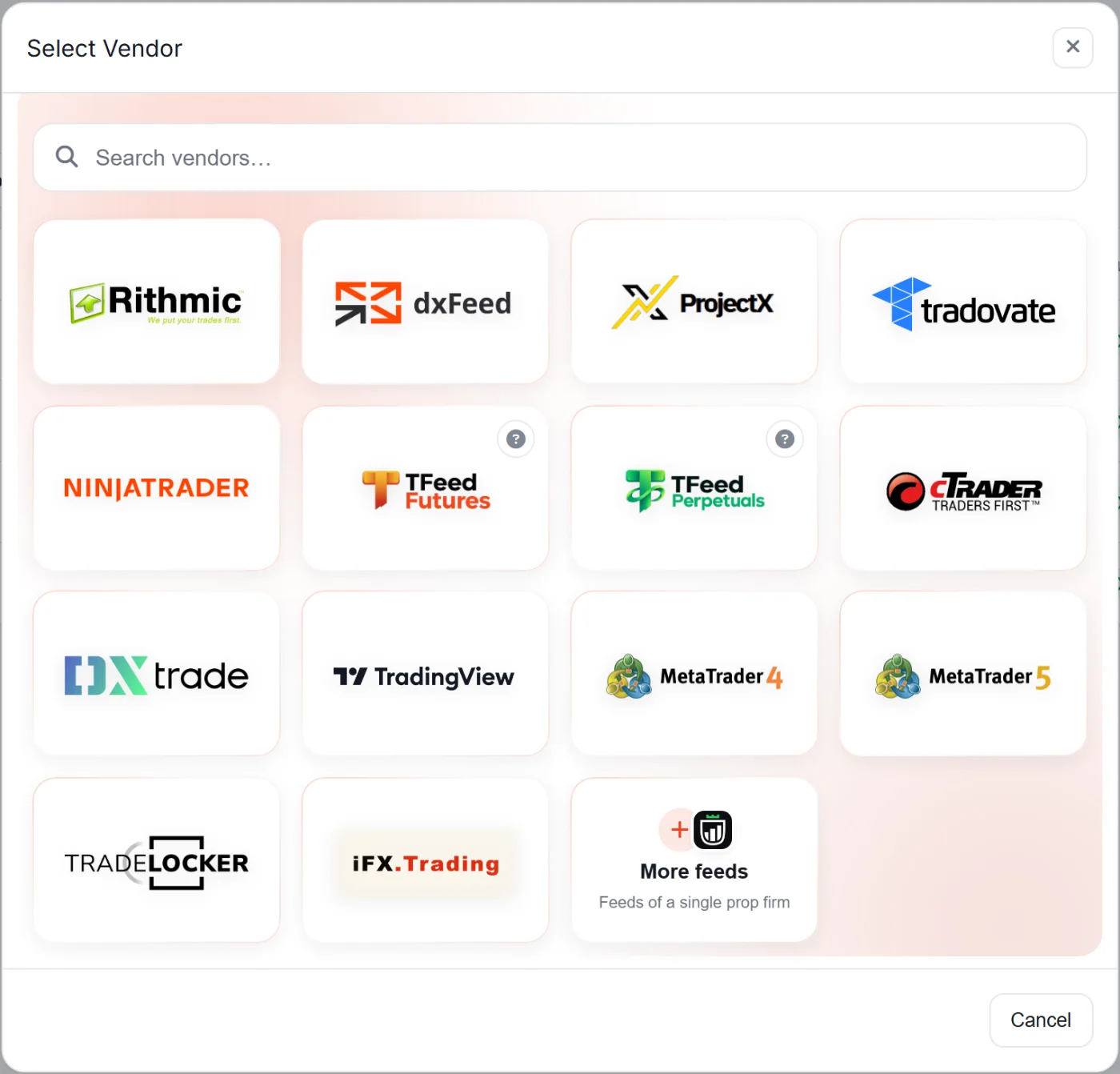
Copy between any of these 16 platforms







Thor runs on our servers, not on your computer. You trade one account and every account you point at it follows, day and night, whether your PC is on or not.
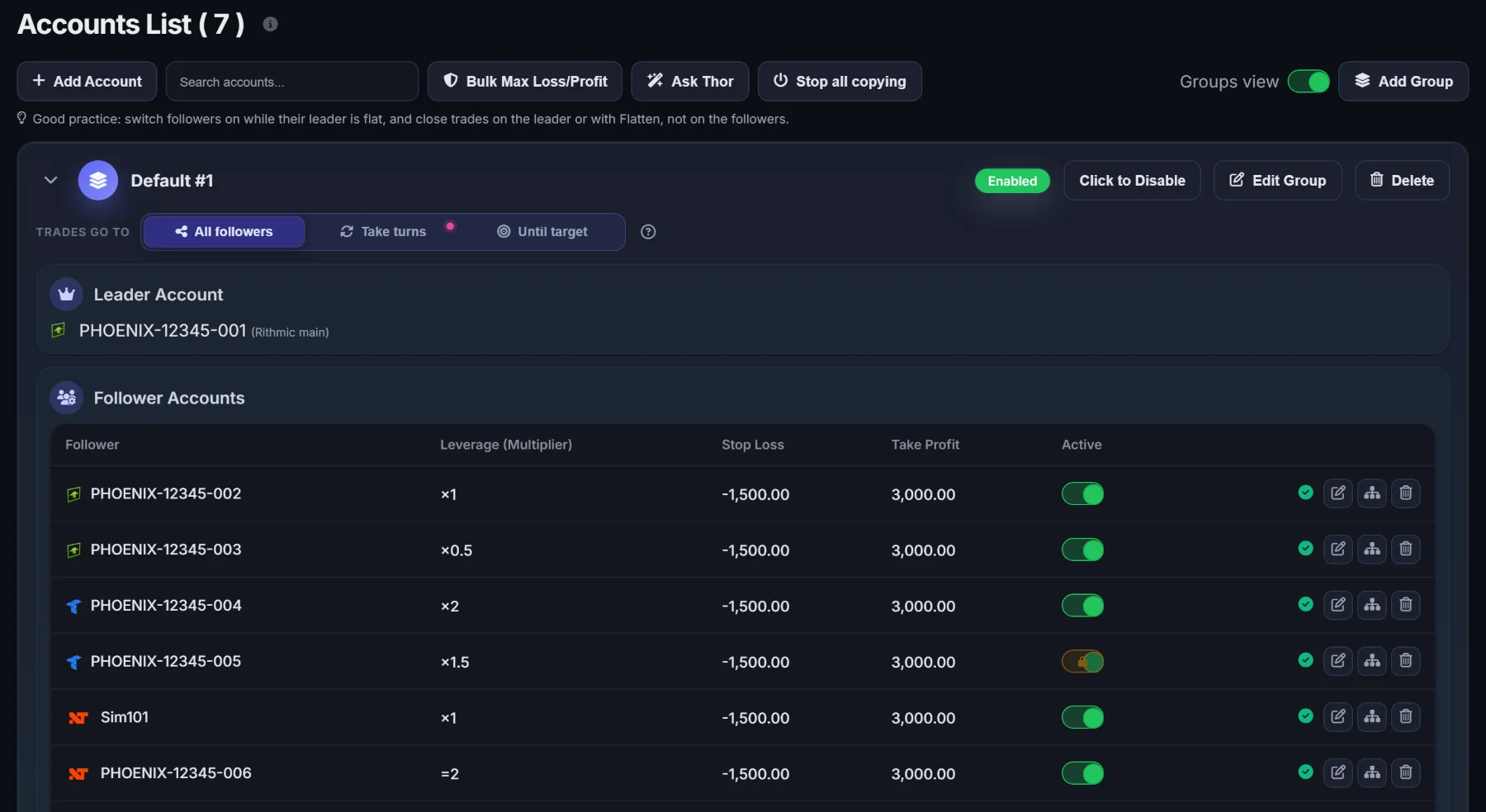
Put a leader and its followers in a group, then run the whole group as one.
Copying runs on our servers. Close your laptop or lose your connection: your followers keep copying.
How long Thor takes to copy a trade, on average.
No cap on accounts, connections, copy links or machines. The price stays the same.
Point more than one leader at the same account, or drag several leaders and followers in at once.
Rithmic to Tradovate, NinjaTrader to cTrader, TradingView to MetaTrader: any combination you run.
Copy one symbol on the leader to a different symbol on a follower, set per follower.
The leader buys, the follower sells.
Copy every working order, or only what filled, as market orders.
When the follower is on MetaTrader, the leader's stop loss and take profit land as its own native levels.
A copied order can never push a follower's position beyond its leader's.
A group's followers take trades in turn: one account per trade, or one until it reaches its target.
A master switch turns every copy link off at once, from the Accounts List or the Trading HUD.
If your firm runs on one of these platforms, Thor copies to it and from it. Futures and CFD, on the same dashboard.
Pick the platform, sign in, and every account behind that login shows up, ready to lead or follow.
A dedicated NinjaTrader 8 add-on copies Sim and Live accounts. Use NinjaTrader as the leader, or as a follower in Fills Only. No Tradovate detour.
Point a webhook at Thor and your Pine Script alerts become the signal your followers copy, stop loss and take profit included. Coming from PickMyTrade, TradersPost, PineConnector or Copygram? Change only the URL.
Thor tells funded from evaluation accounts and reads their size, so their targets and limits are suggested for you.
A $50K evaluation and a $150K funded account should not trade the same size. Each copy link carries its own multiplier, symbols and limits.
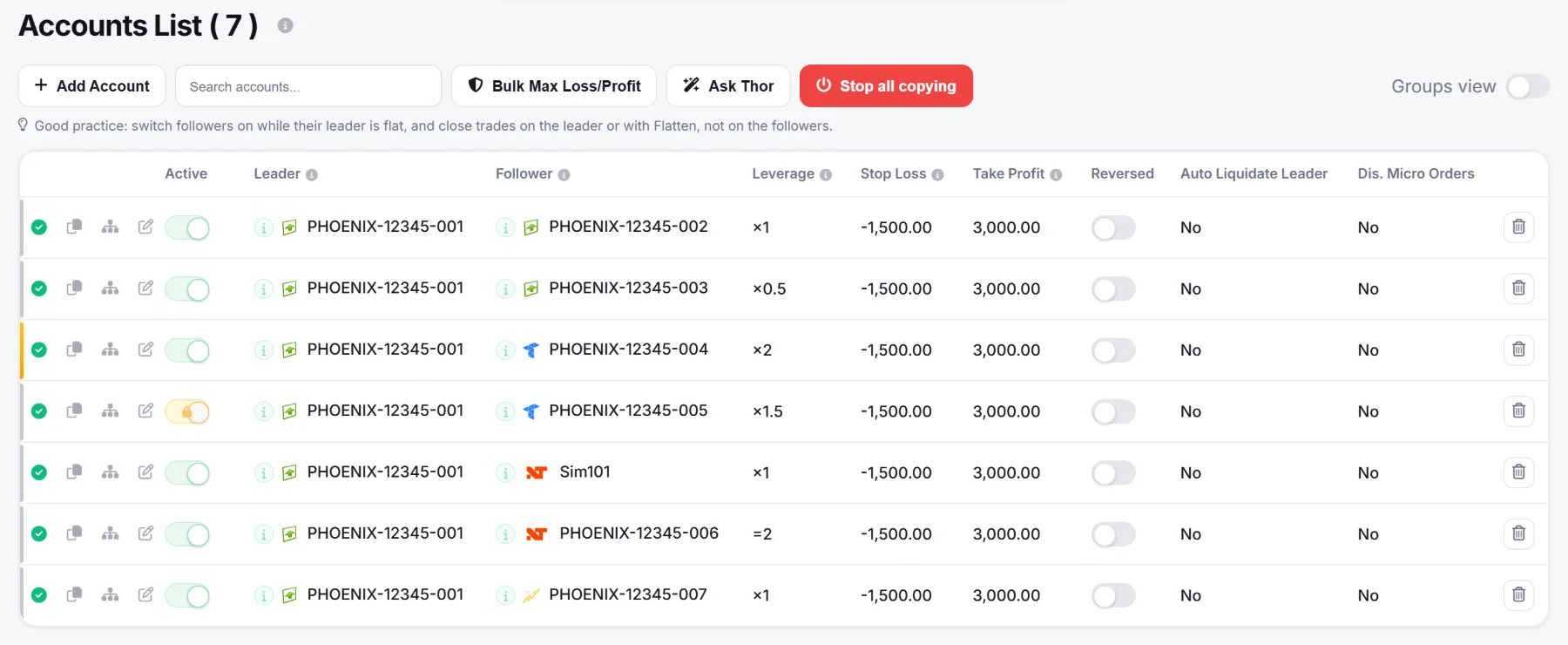
One row per copy link: leader, follower, multiplier, daily stop and target, reverse, and an on/off switch.
×0.2, ×1.3, ×2.7: scale each follower to its account. Try it:
Set a number of contracts or lots per follower, whatever size the leader opens.
Map NQ to MNQ, ES to MES, or anything to anything. Mappings use the contract root, so they keep working every quarter. Auto-Configure fills them for you.
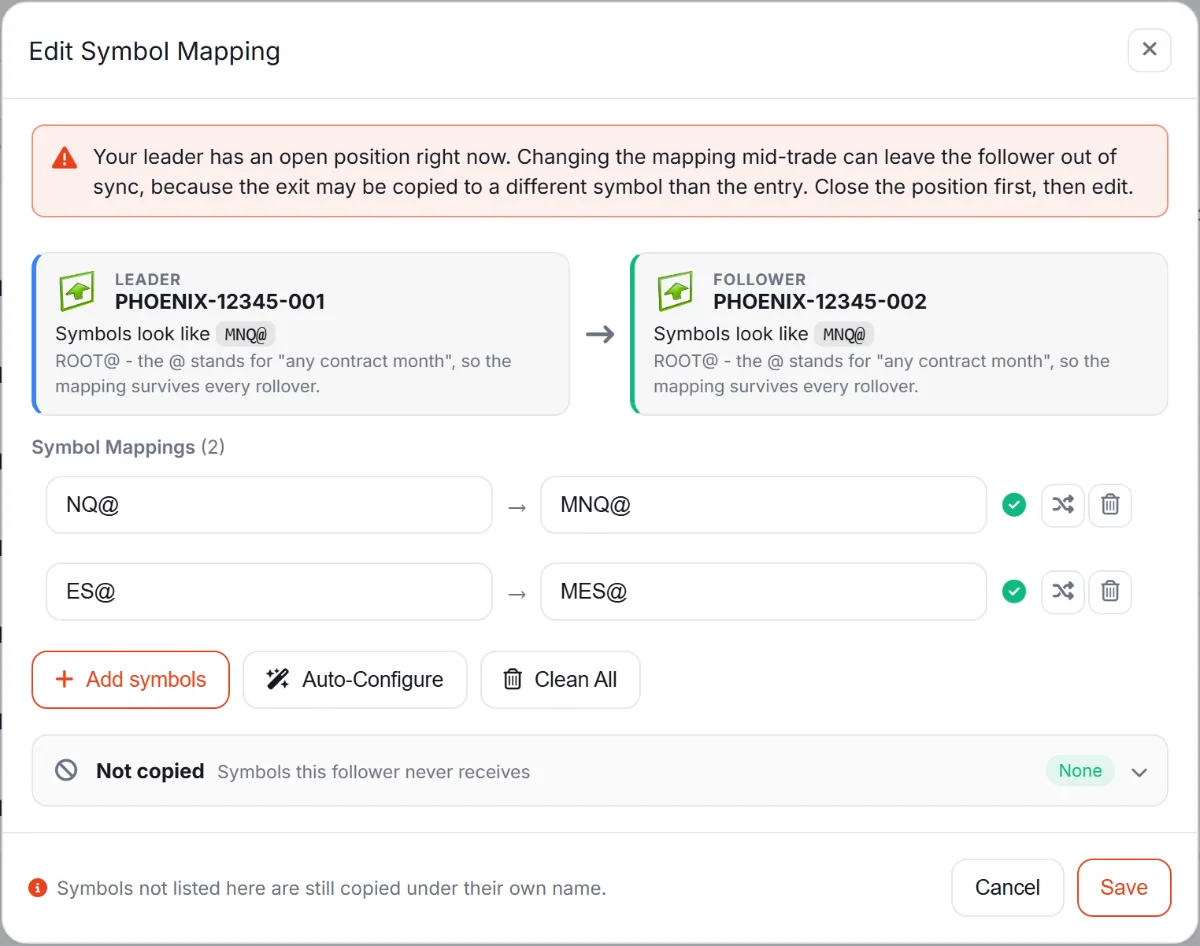
List the symbols a follower must never receive.
Build copy links by dragging accounts into the leader and follower zones, on a phone too.
Funded accounts in gold, locked and news-restricted accounts flagged, missing accounts in red.
Every rule below is enforced on our servers, even when your dashboard is closed.
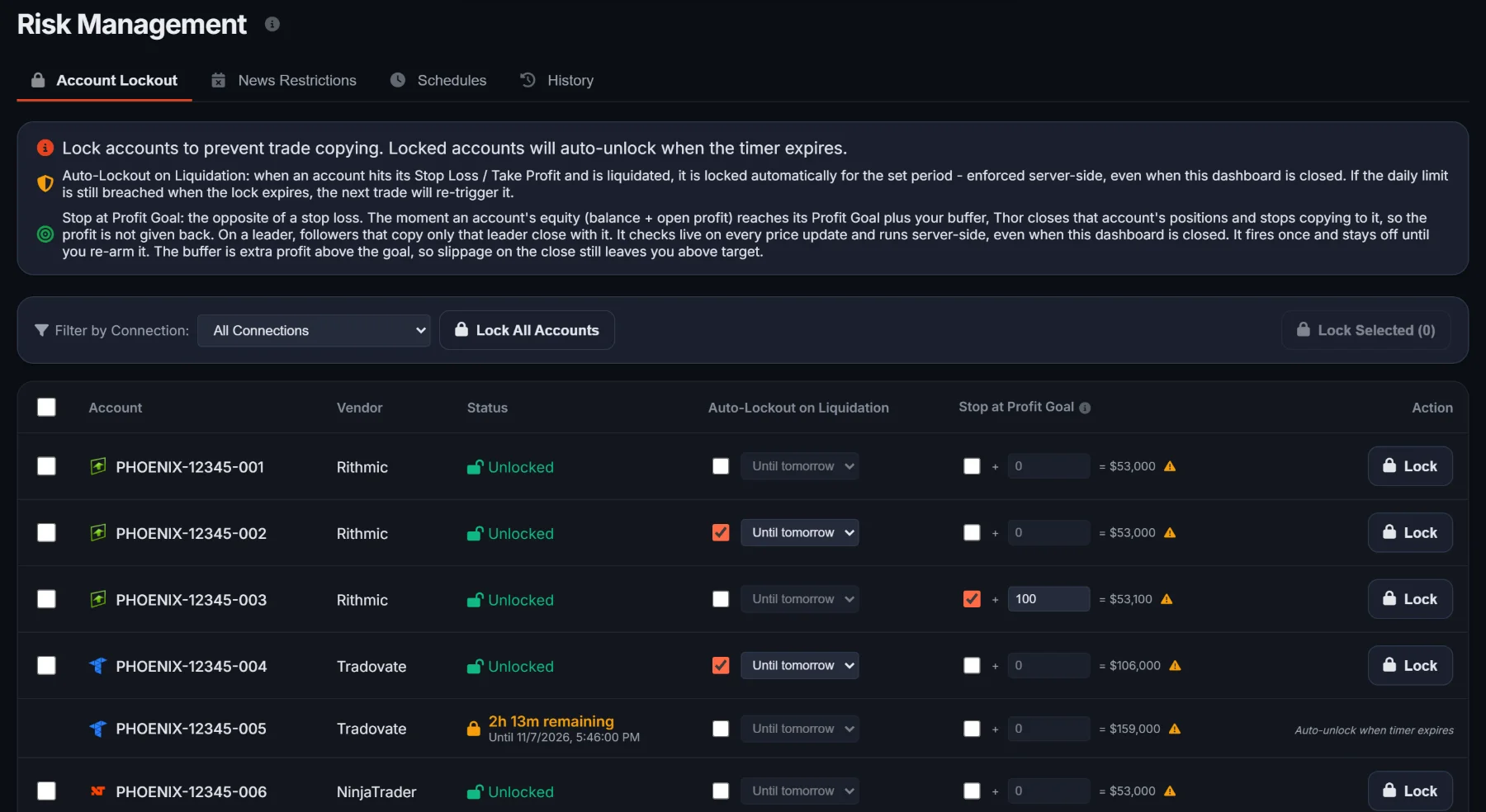
Lock an account out of copying for 30 minutes, an hour, three hours, a session or a time you choose. It unlocks on its own.
Per copy link. When a follower's day reaches either amount, Thor closes its positions. It starts again each trading day.
When an account's equity reaches its goal plus your buffer, Thor closes it and stops copying to it. Made for evaluations. Re-arm it when you want.
When a follower is liquidated, its leader can be closed with it.
Pick the economic events and how many minutes before them copying stops, and add the US, UK or Asia open if you want. Thor waits for the leader to be flat before it acts.
If a follower still holds a position a quiet minute after its leader went flat, Thor flattens it.
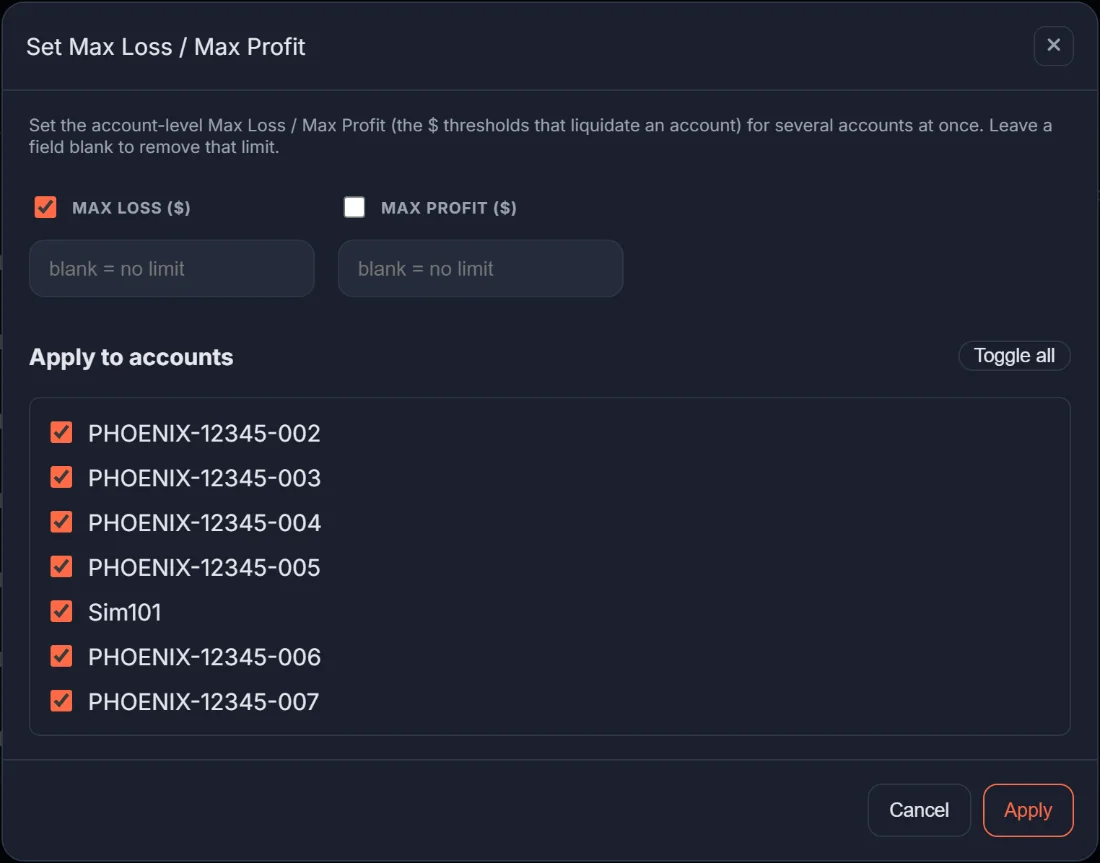
Set the limits of many accounts in one pass.
One button closes every position and cancels every working order, across all your accounts.
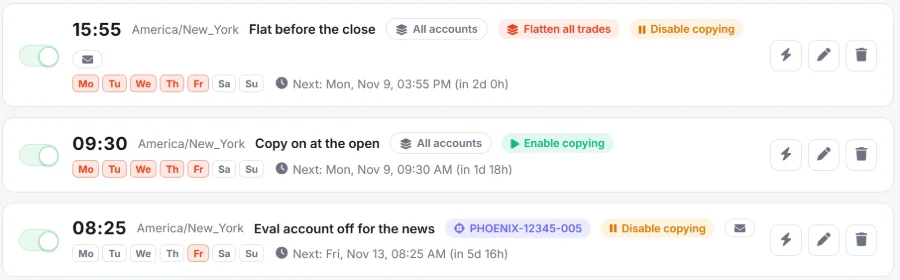
Your routine, written once: flat before the close, copying on at the open, the eval off for the news.
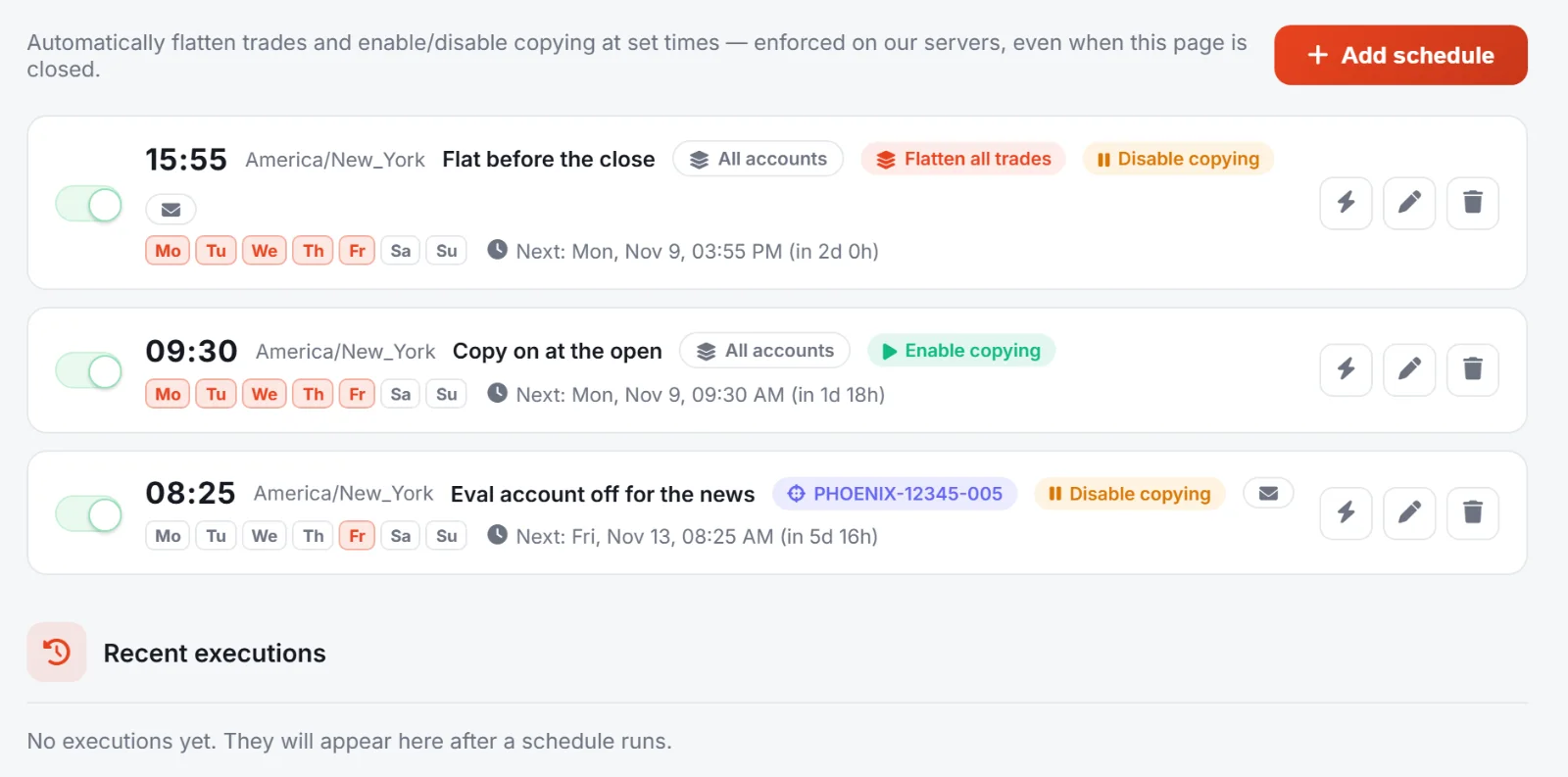
Flatten trades, disable or enable copying at set times, on the days you choose, in any time zone.
New York time, Monday to Friday.
Fire any schedule on demand, and read every run in the history.
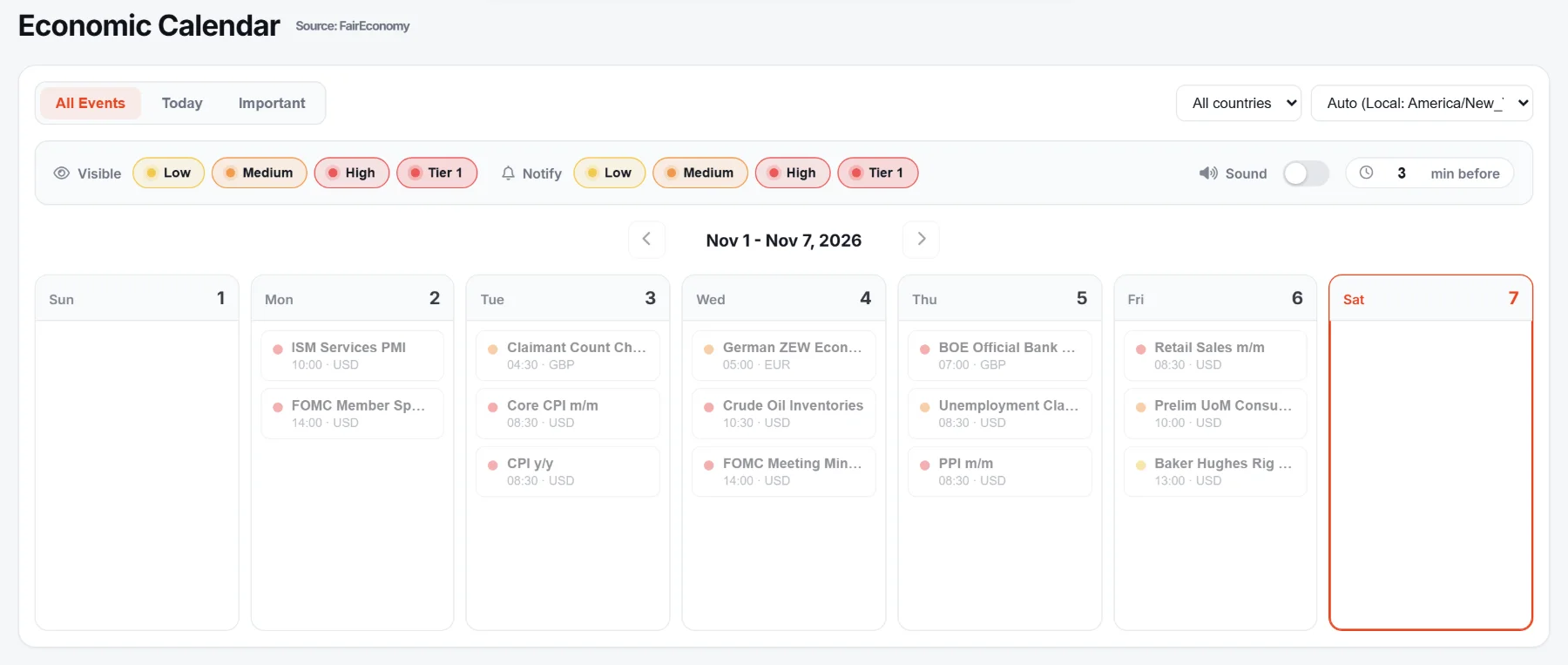
The week's events by impact: low, medium, high and tier 1. Choose which you see, which notify you, with a sound and how many minutes before.
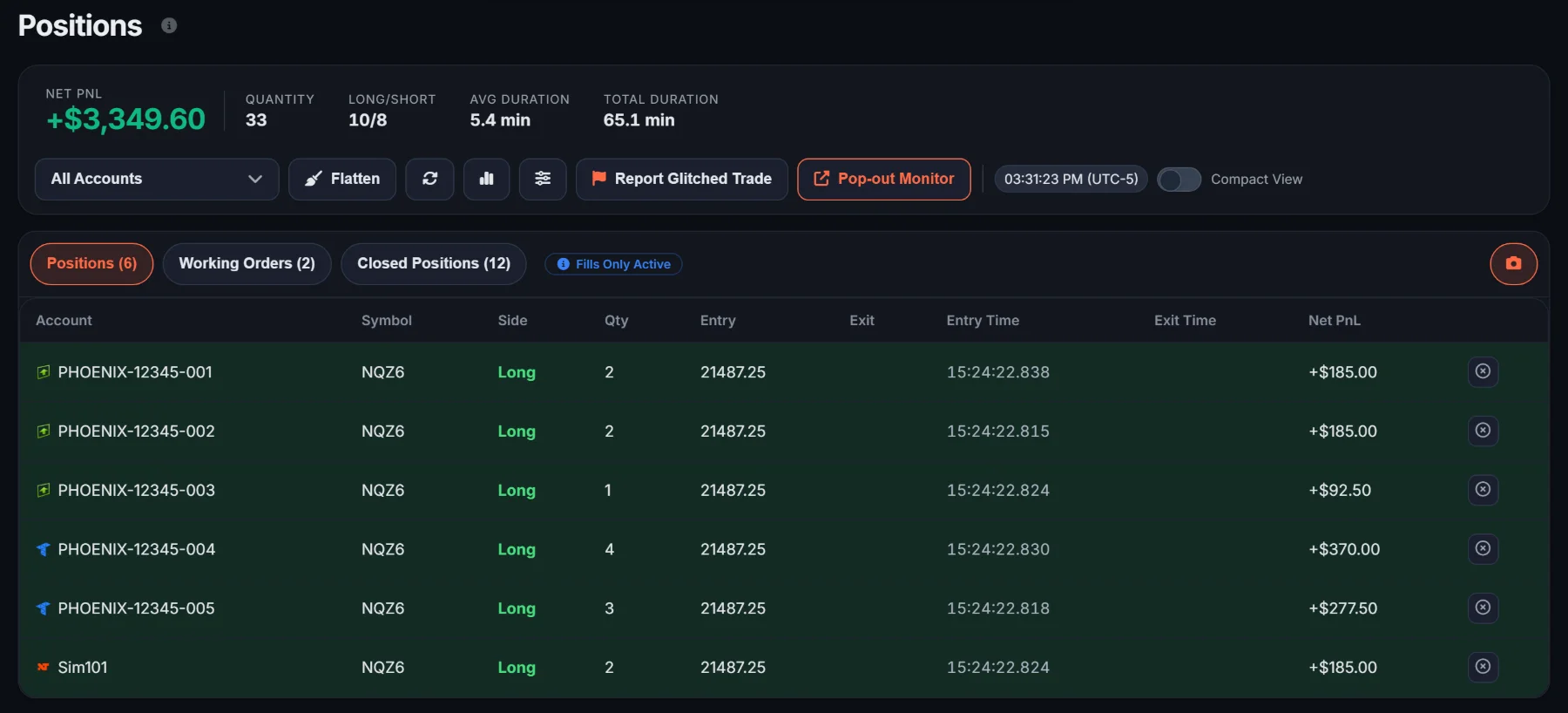
Positions, orders, closed trades and balances for every account, on one screen, to the millisecond.
Open positions, working orders and closed positions for every account, filtered as you like.
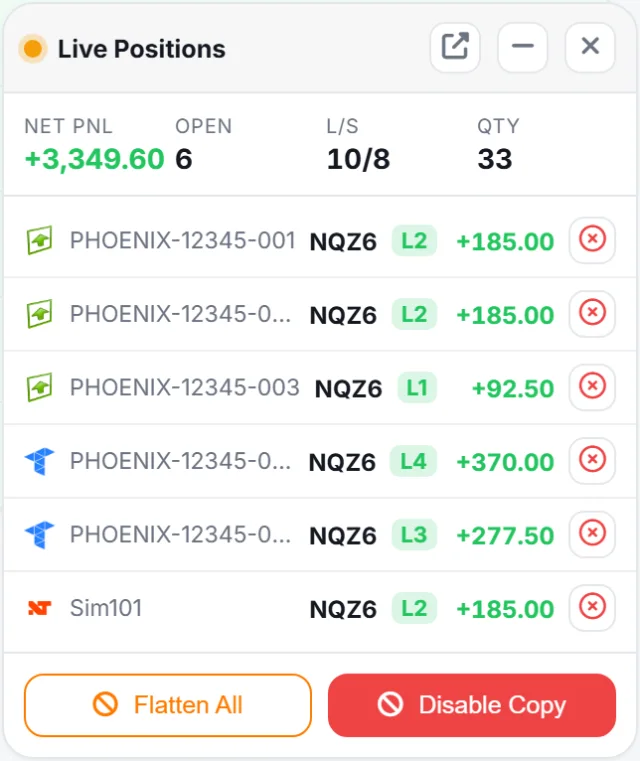
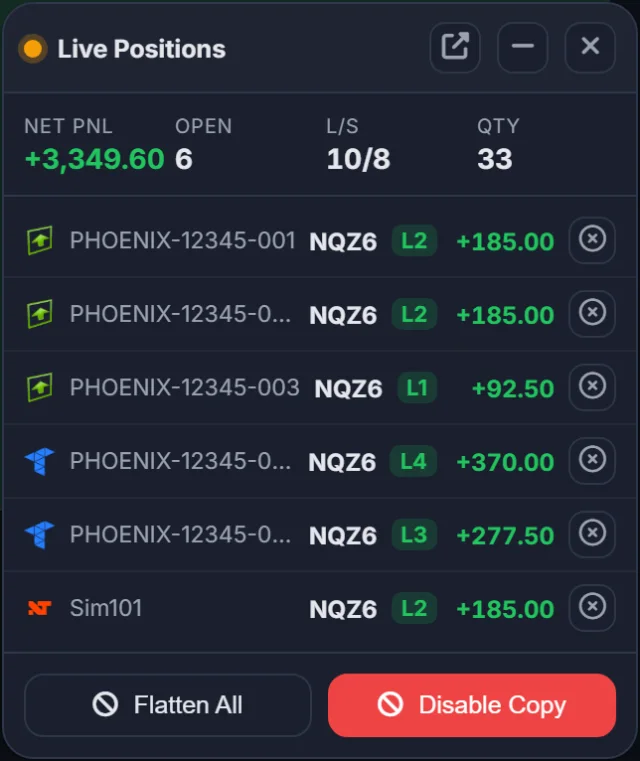
A compact panel that stays on screen with live positions, Flatten All and Disable Copy. Pop it out next to your platform.
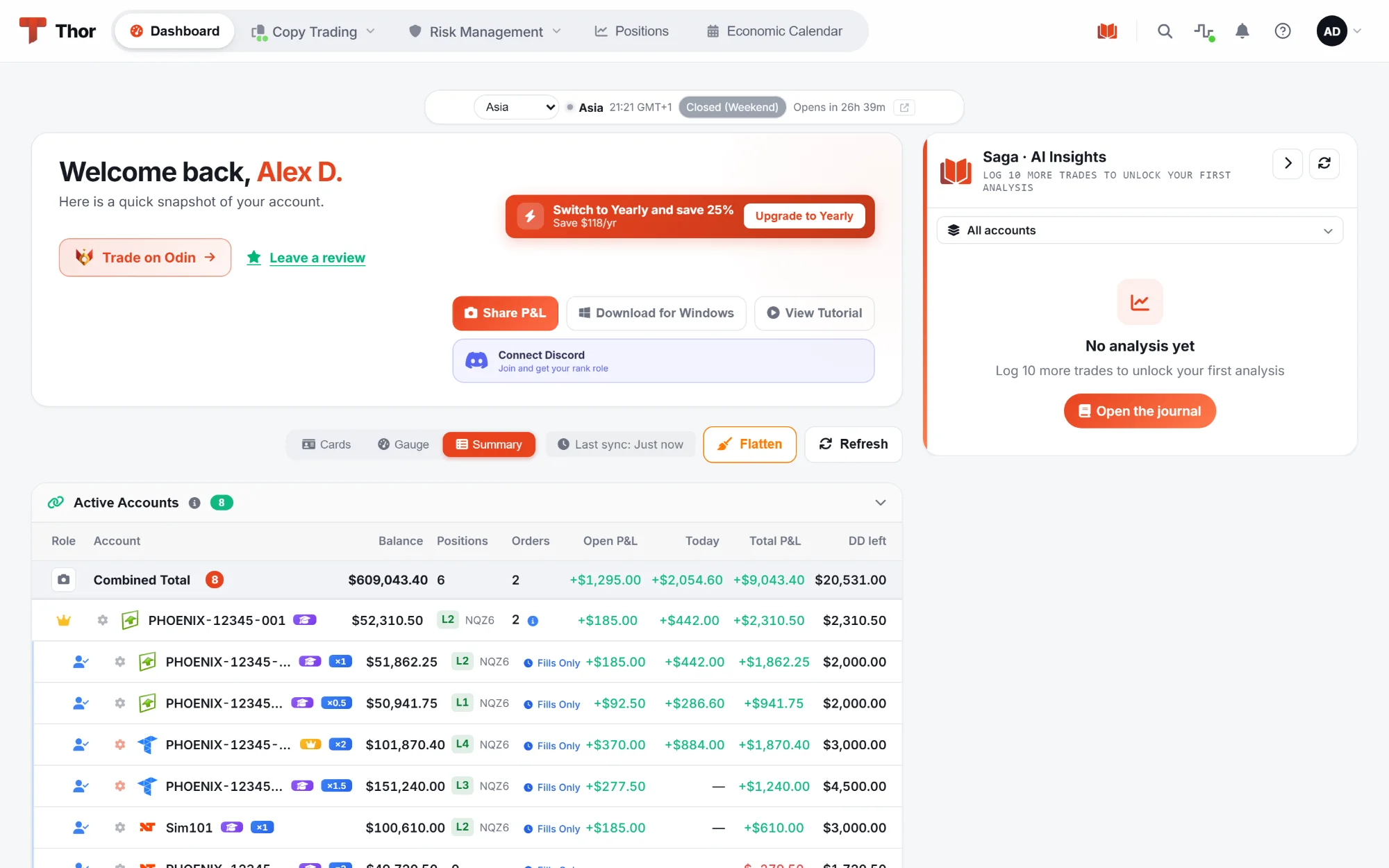
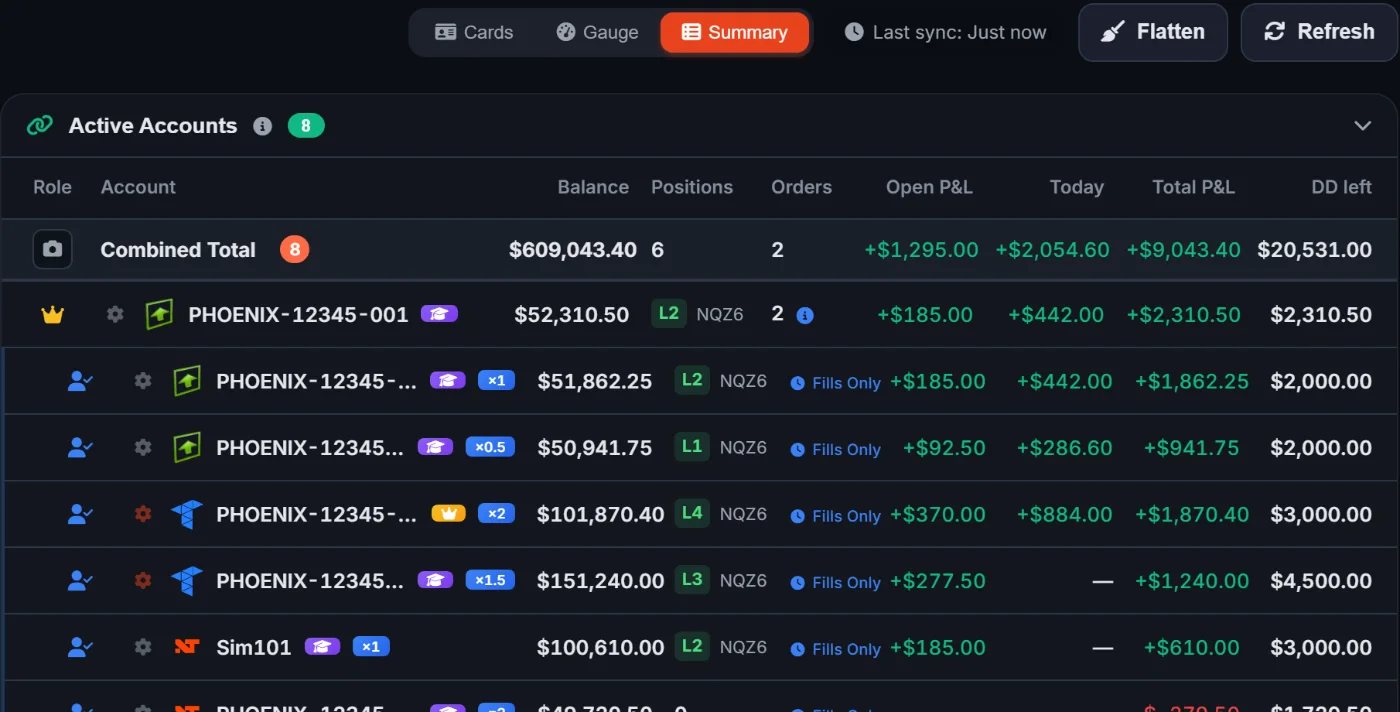
Balance, positions, orders, open and daily P&L, and the drawdown left, with a combined total on top.
Group closed trades by entry or exit time to see a copy across every account at once.
Commissions and fees recorded on closed trades on most platforms, with P&L shown net.
Liquidations, expired connections and failed orders, with the account and platform, on screen and by email. Pop-ups switch on or off per type.
Every service and platform connector, with 90 days of history and day notes. Apps can read it too.
Sort and group your connections, see each status, and reconnect one in place.
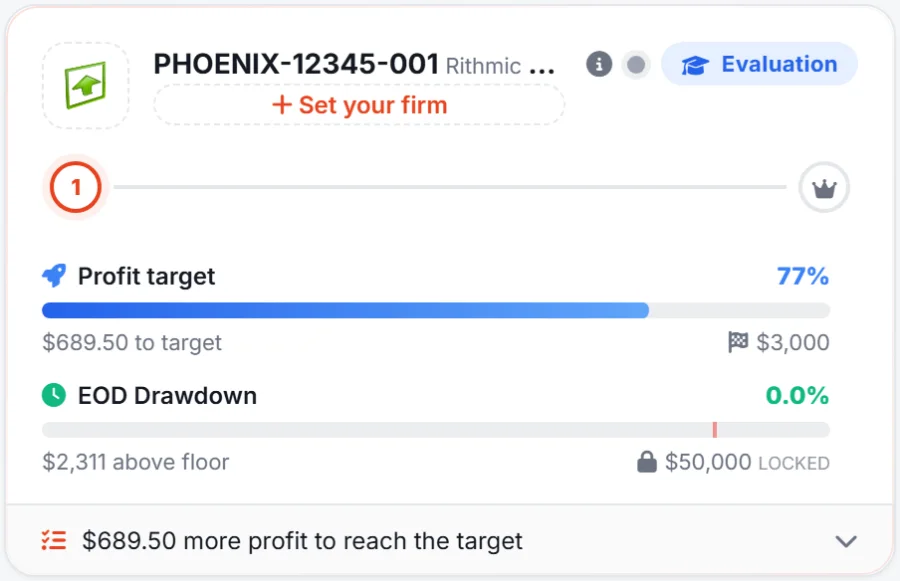
The Prop Firm Tracker follows each account through its whole life, and the money it cost and paid you.
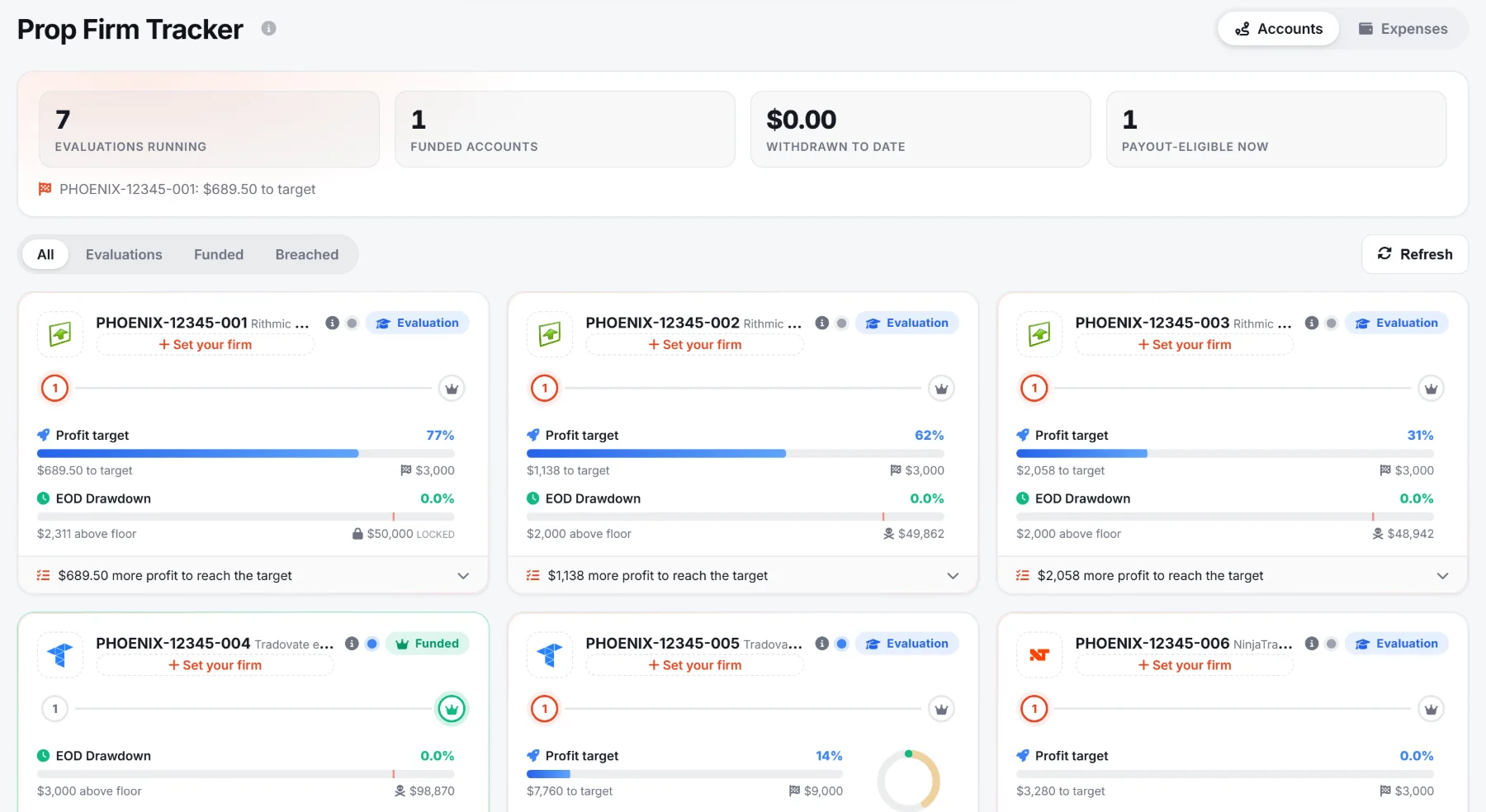
Evaluation steps with target, drawdown, daily loss, consistency and trading days, then the funded stage with payout eligibility, payouts and resets.
Log purchases, resets, activations, fees, refunds and payouts. See your net result, how many times you were paid back, cost per funded account and a monthly budget. Export to CSV.
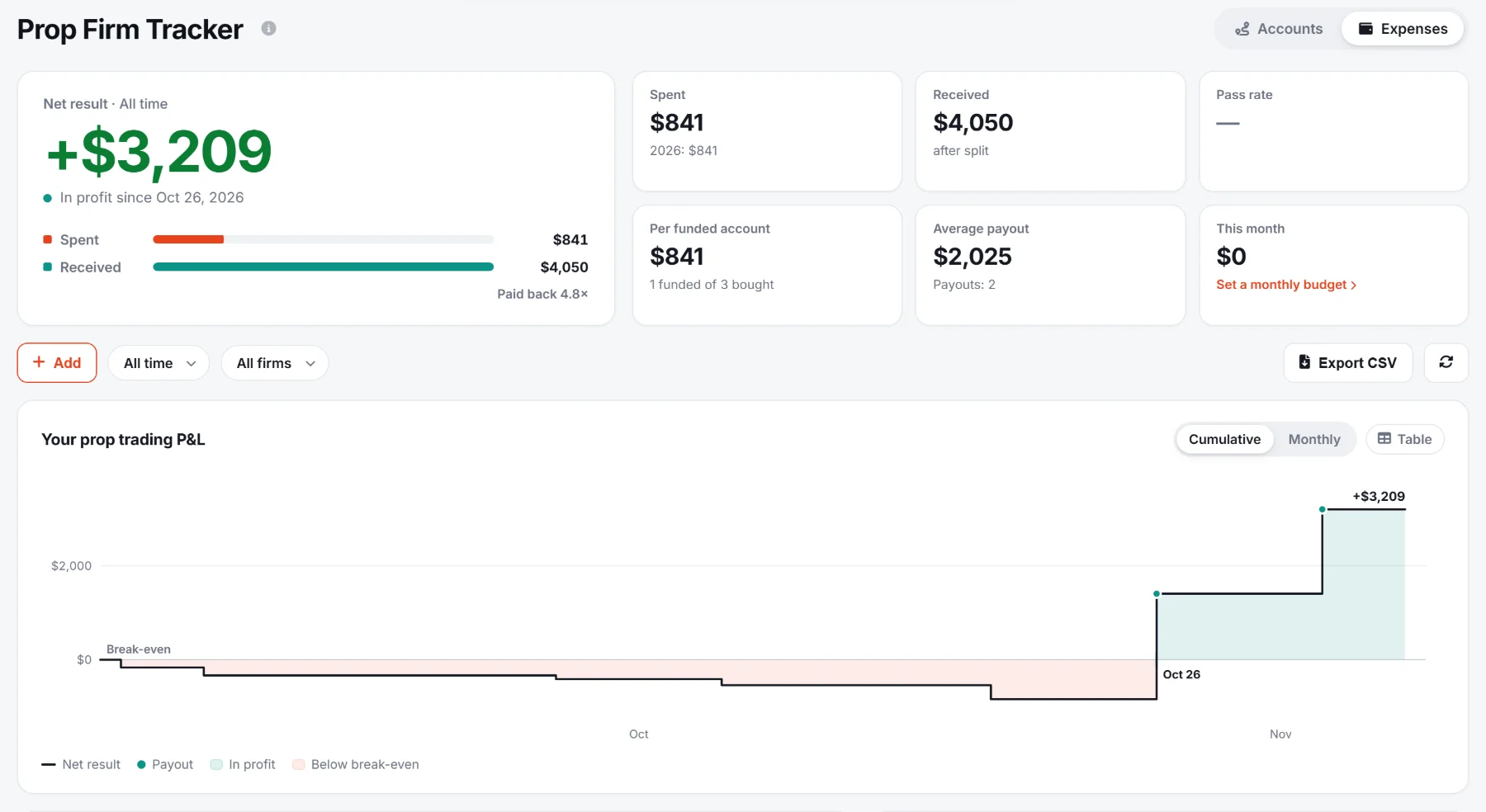
Split, buffer, minimum and maximum withdrawal and payout days per funded account: the tracker tells you when you can ask.
End of day, intraday trailing or static, with the floor and what is left above it.
Saga, our AI trading journal, comes with every Thor plan. Trades from Rithmic, Tradovate, NinjaTrader, ProjectX, cTrader and dxFeed sync in on their own.

Notes, tags, setups, grades and emotions on every trade, with AI insights on your patterns.
Keep or drop trades by setup, day, asset, side, tag, emotion or grade, and compare your real P&L with the projected one.

How far each trade went against you and for you, and what your exits left on the table.

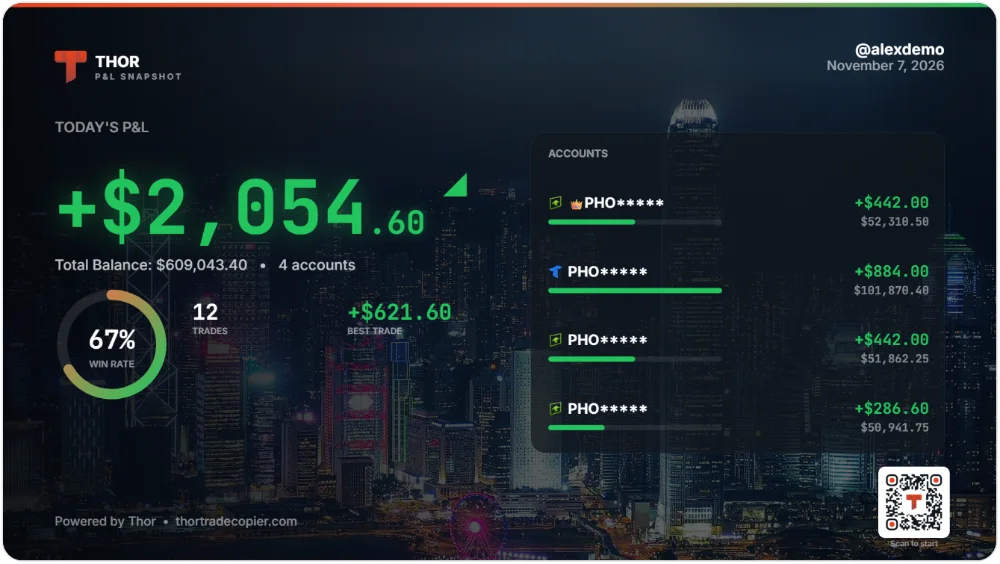
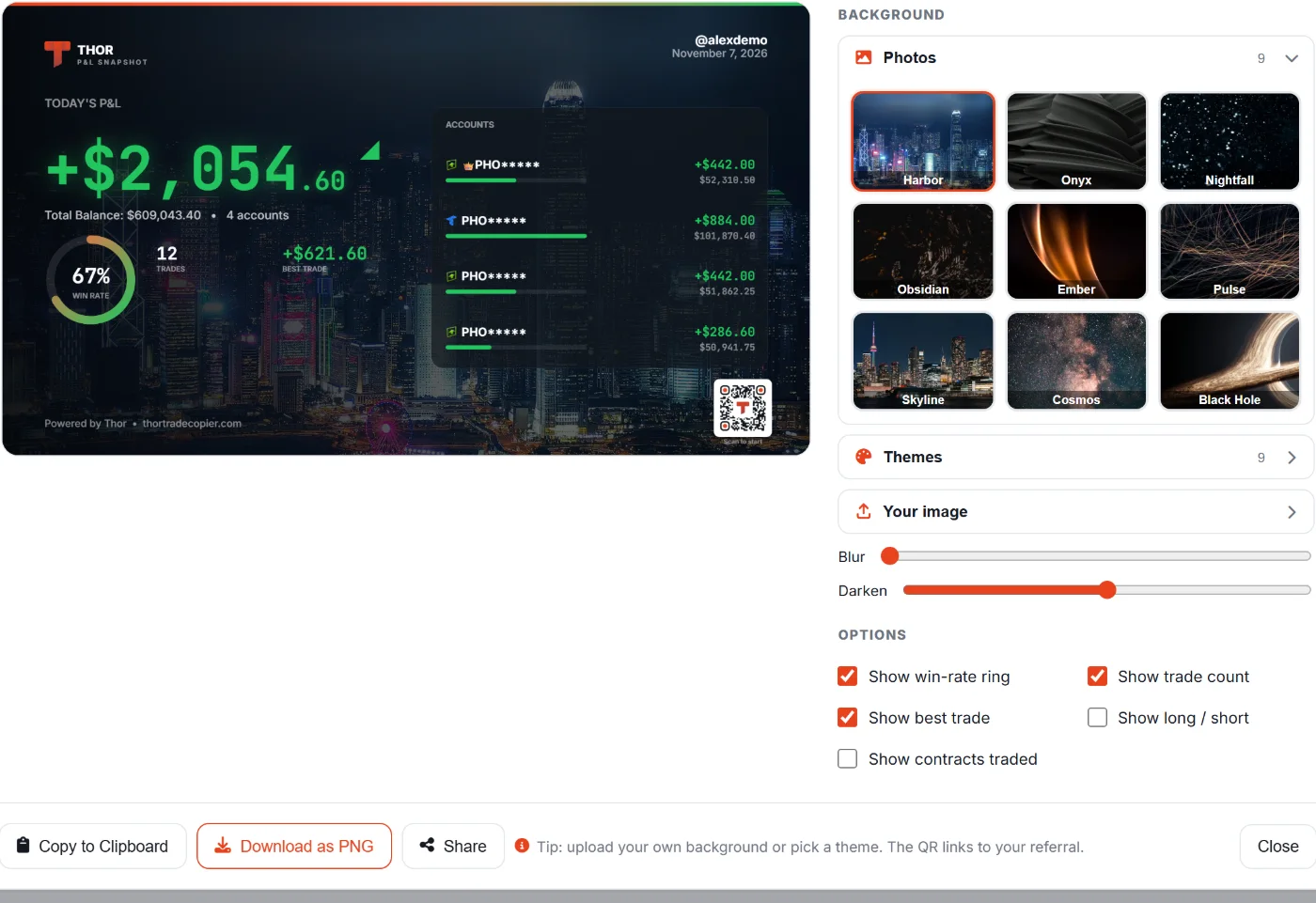
Turn your day into an image to share: backgrounds, themes or your own photo, win rate, best trade, and a QR code that carries your referral.
Log your state on each trade and see how it lines up with your results.
Record several screens and webcams at once, arranged as you like.
A month calendar of daily net P&L, filters by account, and a full CSV report.
Track your trades without turning copying on.
In the Windows app: replay your history to find the leverage, stop loss and take profit that would have served you best.
A full REST API comes with your plan, for free: everything you can do in Thor and Saga, from your own code.
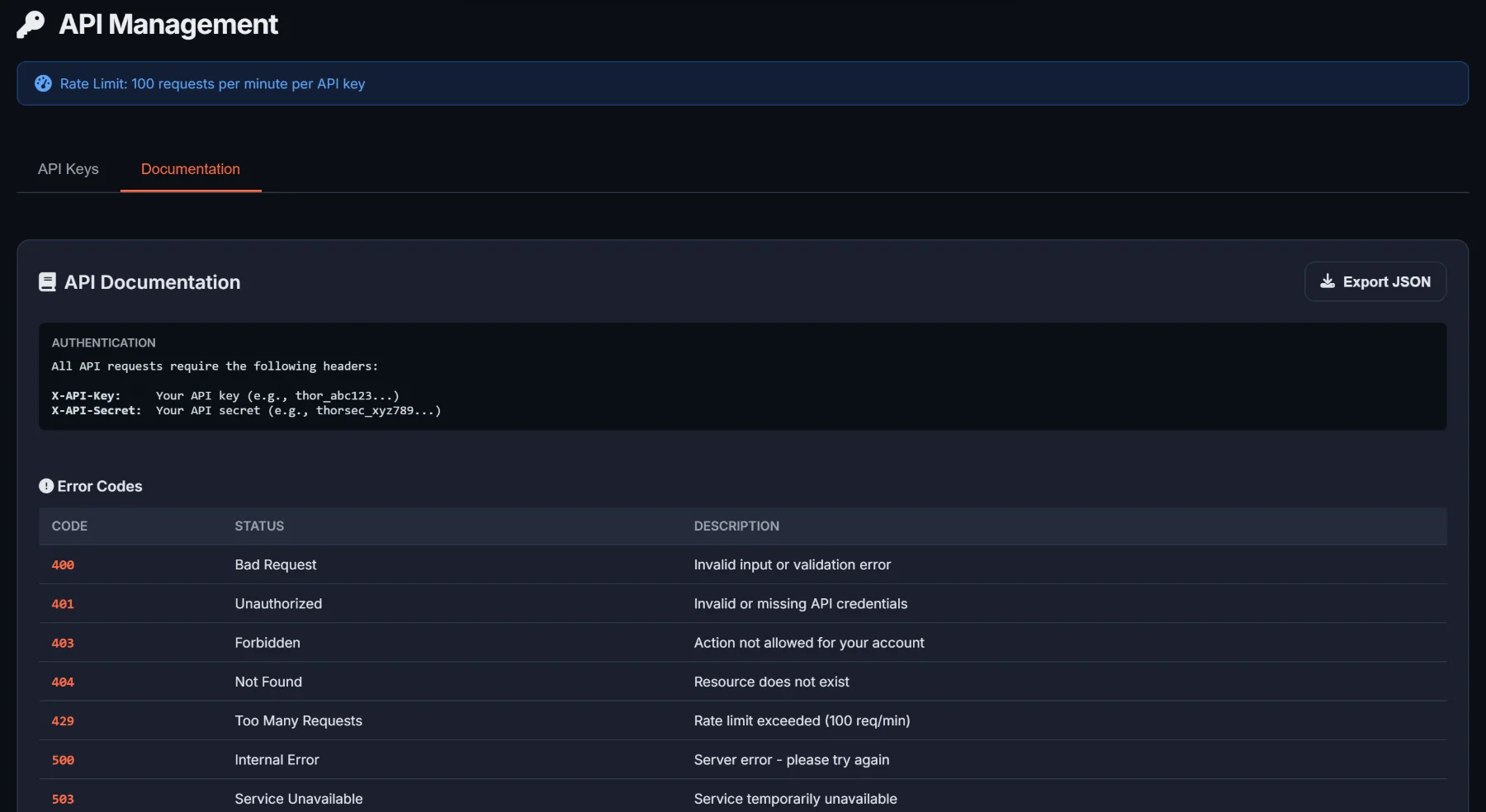
Create keys in the dashboard and read the documentation right next to them.
One click opens Odin, our browser trading platform, and connections can be imported from it.
Monitors and apps can read Thor's live status.
TradingView alerts, and the NinjaTrader 8 add-on, wired straight in.
The web dashboard on any device, a Windows app, and no limit on machines.
Press Ctrl+K, describe what you want to do, and Thor shows you exactly where it is.
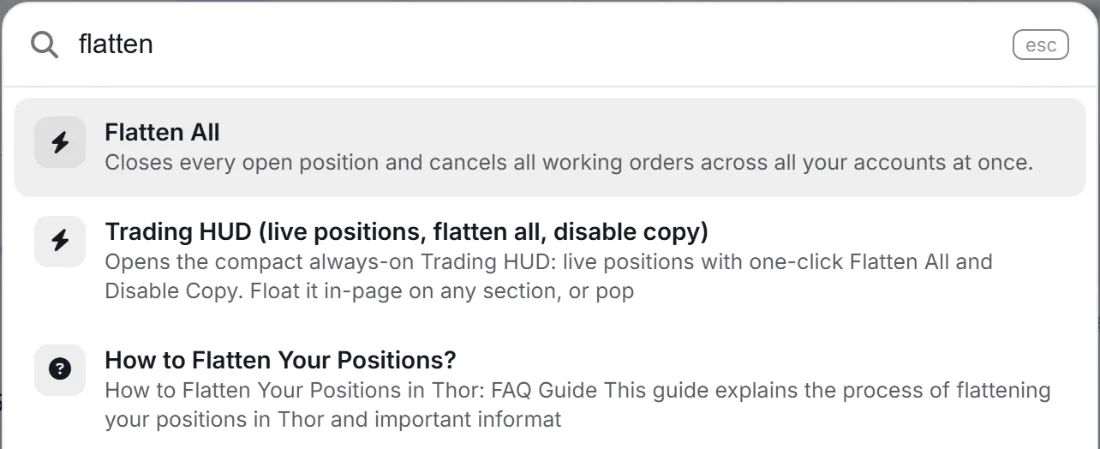
Ask in plain words, like "what am I copying?", and get the answer from your own setup.
Sign in on as many computers as you like. No licence per machine.
Nothing to install. On a phone, tables become cards you can tap.
A native desktop client for Windows 10 and 11.
The dashboard speaks 12 languages, in light or dark.
A guided tour and a three-step setup checklist take you to your first copied trade.
Help is inside the dashboard, and our team answers around the clock.
Open a ticket without leaving Thor, and read the answer in the same place.
Flag a trade that went wrong in a few clicks. The details we need go with it.
Answers, help videos and every update, inside the dashboard.
Link your account and join traders who use Thor every day, with ranks you earn as you go.
Taking a break? Pause your plan instead of losing your setup. Or cancel in one click and keep access to the end of the period.
No per-account fees, no per-connection fees, no paid add-ons. Every feature on this page is in both plans.
Fourteen days free with full access. Nothing is charged during the trial.