
Custom charts, DOM ladder, order entry, copy trading, and a full journal. Everything in one place, right in your browser.
Move any module anywhere. Resize, stack, split. Save your layouts and switch between them.
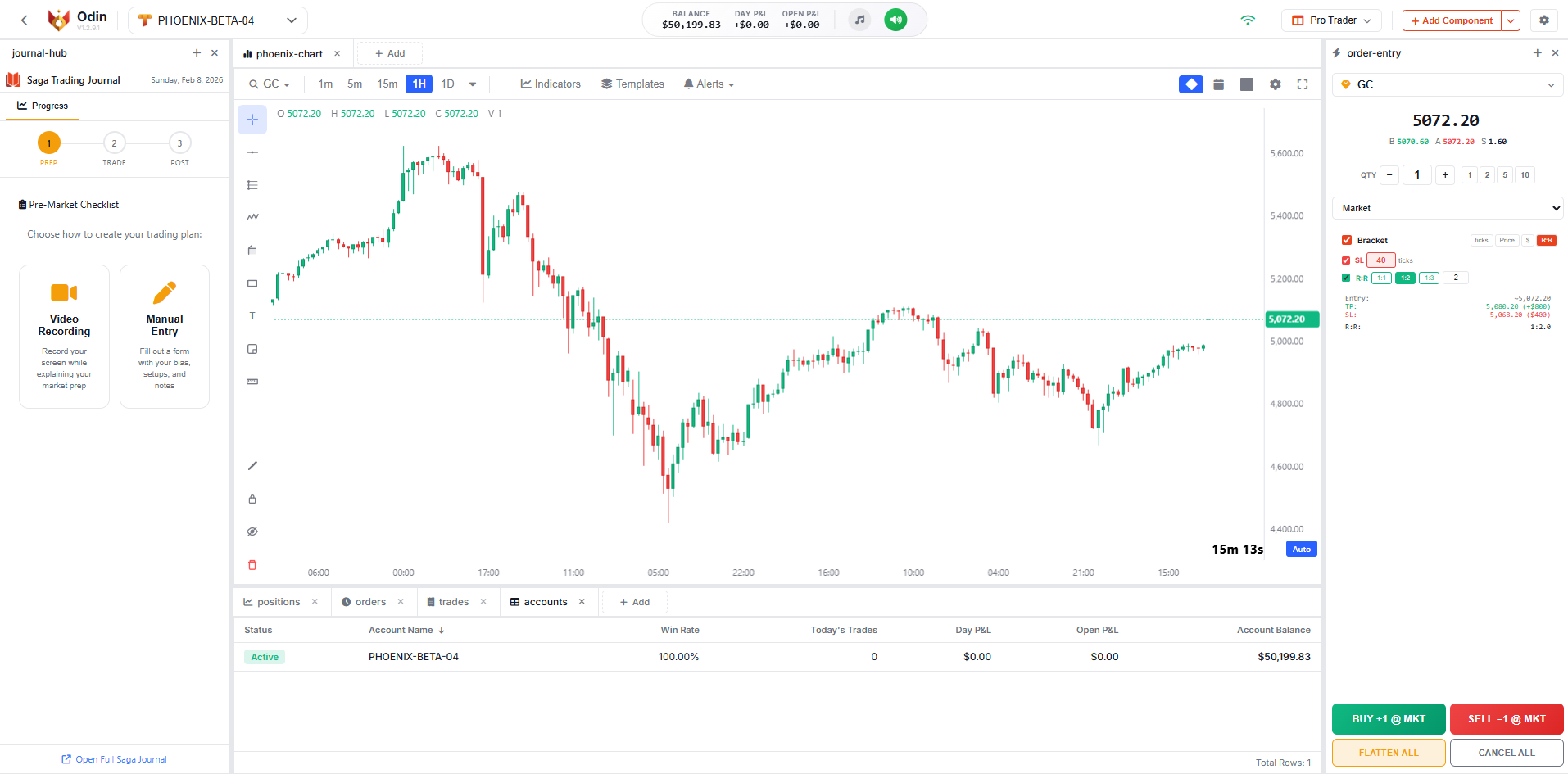 Single Chart + Journal
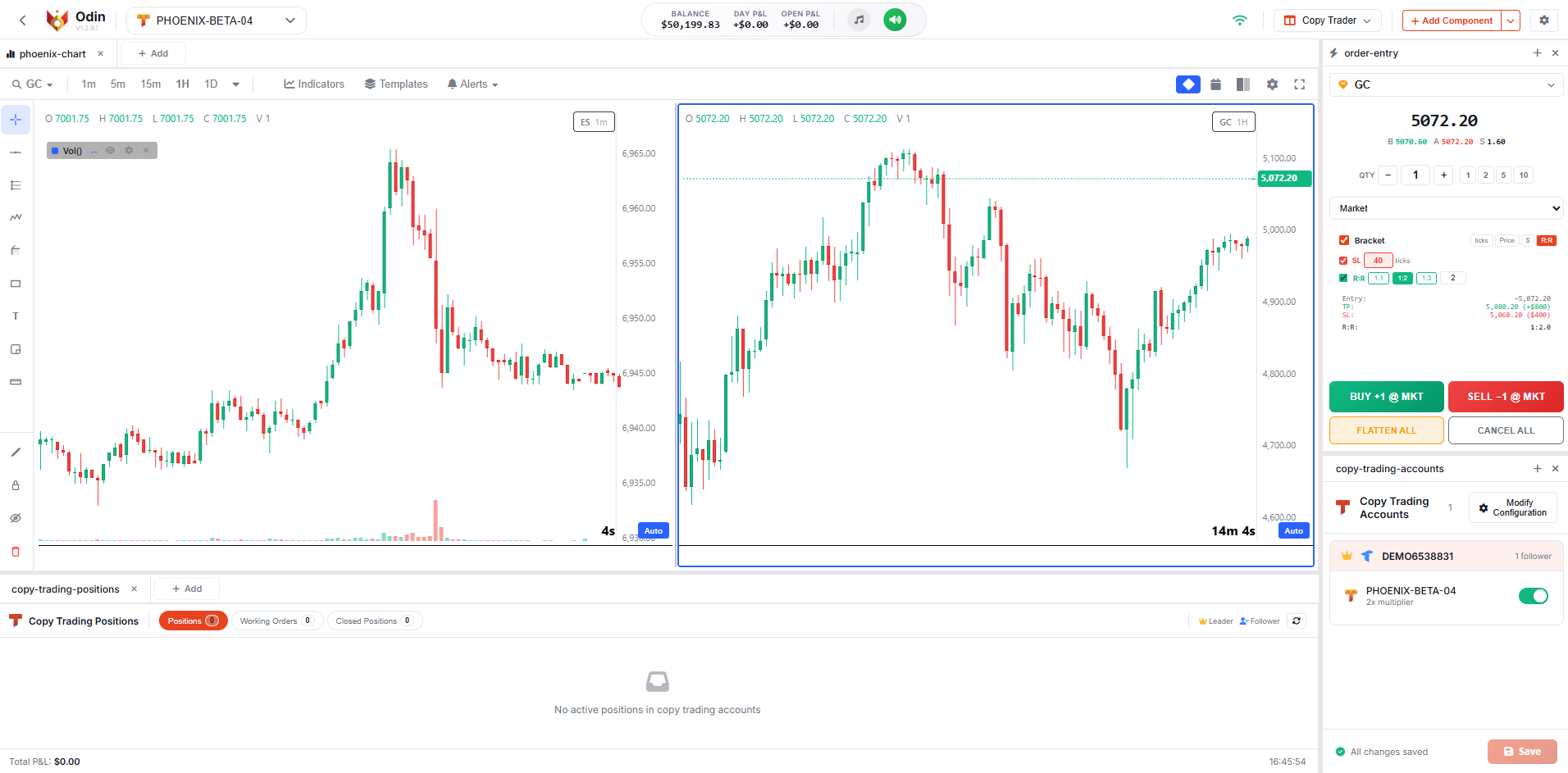 Copy Trading Dual View
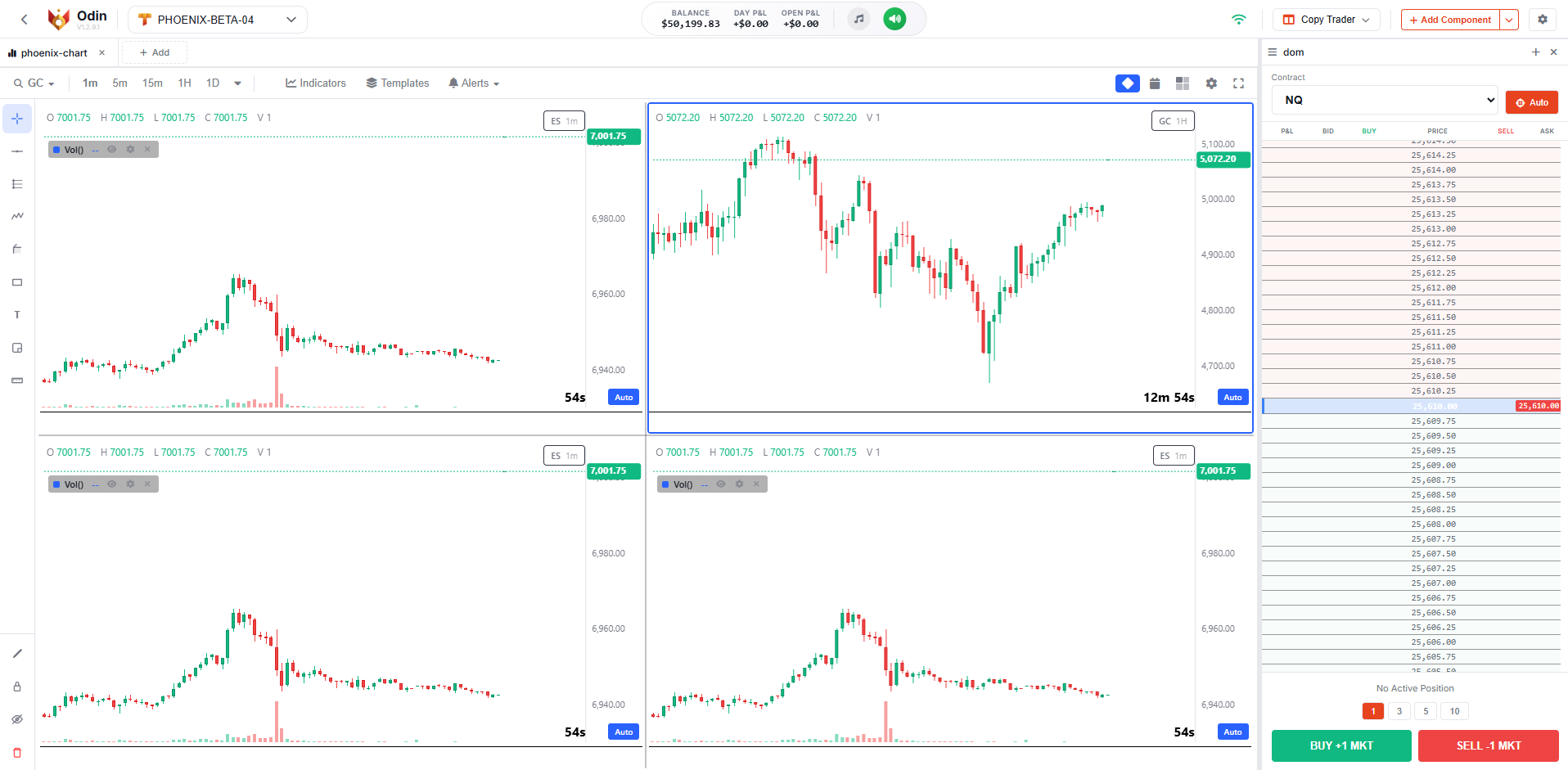 Quad Chart Grid + DOM
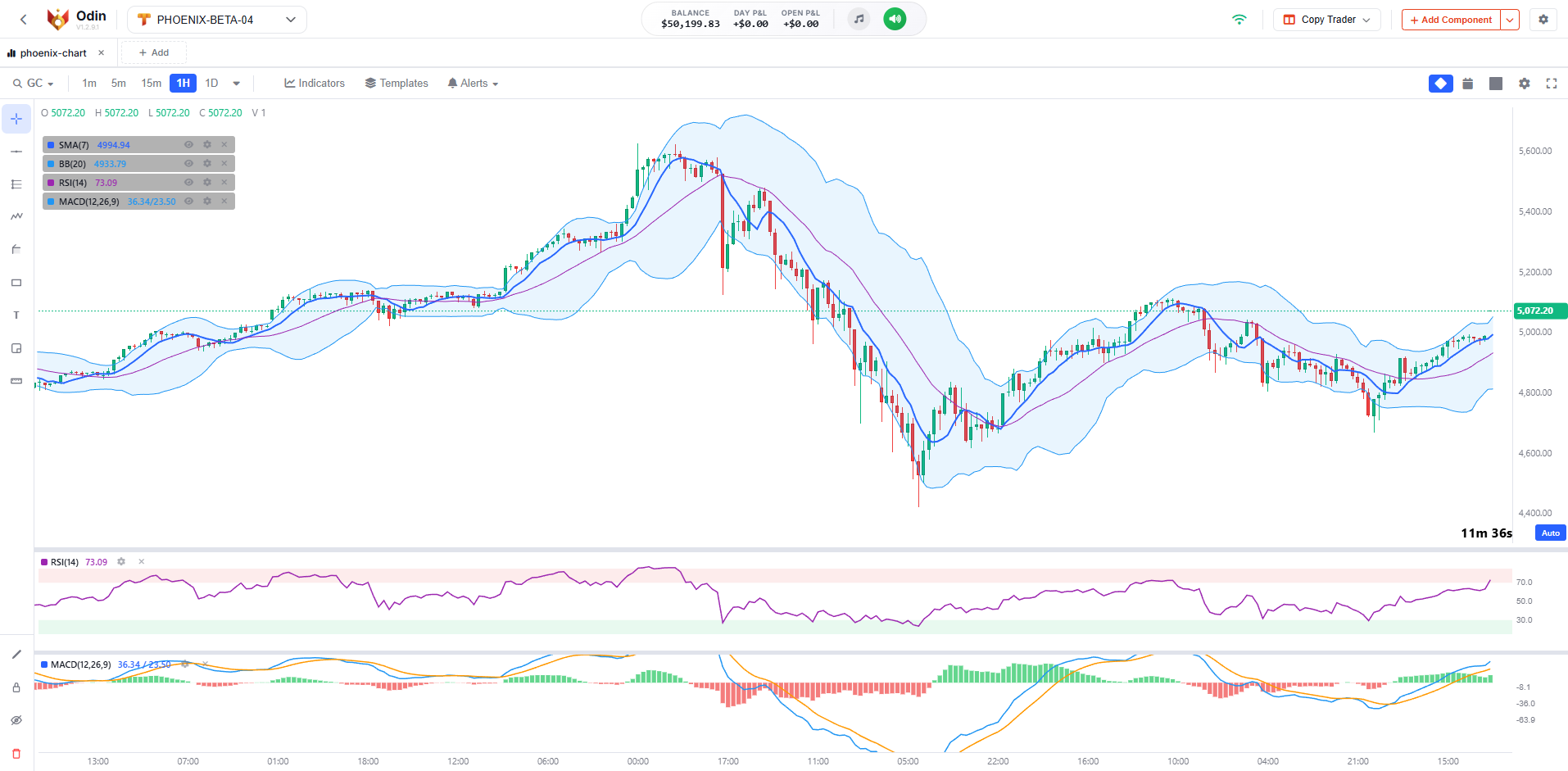 Chart with Indicators
Each module handles one job. Put them together and you have a full trading station.
Market, limit, stop, and stop limit. OCO brackets built in. Keyboard shortcuts for everything.
See all your open positions with live P&L. Color coded by direction, works across all accounts.
All your pending orders in one panel. Cancel individually or all at once.
Balances, equity, P&L, and connection status. All in one place.
Every trade logged with entry, exit, duration, and P&L. Across all your accounts.
Bid/ask, volume, and price movement for all your symbols.

Three phase journal: prep before the session, log during, review after. Powered by Saga.
25 levels. Click a price to trade. Your orders show right on the ladder.
Our own engine. 20+ indicators, 30+ drawing tools, alerts, multi chart layouts.
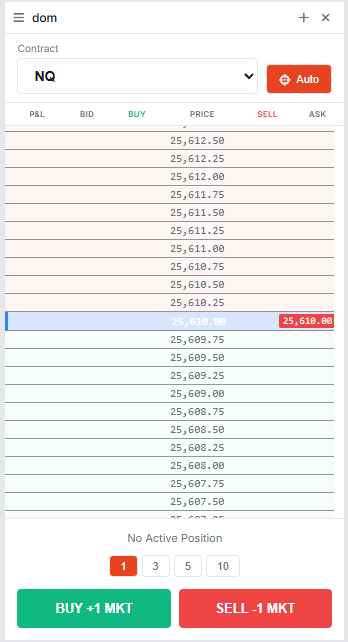
Click any price level to place an order instantly.
25 levels above and below the current price, with volume on each side.
Pending orders show up right on the price levels where they sit.
Your entry price is marked on the ladder with a live P&L next to it.
Tick size and price precision adjust automatically for each symbol.
Switch between preset sizes with one click before placing your order.
We built this from scratch. 30+ drawing tools including harmonics, Elliott waves, Gann, and 8 Fibonacci types. You can even attach alerts directly to your drawings.
Set alerts on price levels or indicator conditions. Audio, visual popup, or email. Works even when you're looking at a different chart.
Thor's copy trading engine is built right into Odin. One provider, multiple followers, every order copied.

The stuff that makes Odin actually usable day to day.
Odin comes with every TFeed account from Phoenix Trader Funding.

Get a TFeed data feed account through Phoenix Trader Funding and you get Odin with it. All modules, all features, everything included.
Get Started with PhoenixFrom traders who use Odin daily.
I put my DOM on the left, chart in the center, journal on the right. Saved the layout and it's there every morning. Exactly what I needed.
I was skeptical about browser based charts but Odin's charts surprised me. Harmonics, Elliott waves, Gann tools, all there. I don't miss my desktop platform at all.
I have 4 funded accounts. Set up copy trading once and now every trade goes to all of them. The journal helps me stay disciplined too.
9 modules, custom charts, DOM, copy trading. Included with your TFeed account.